Fast Attendance
Mark Rode, Absent, No Show, or Not Scheduled with large buttons made for quick use.

Record AM and PM attendance, manage your routes, calculate billing, and prepare clear reports—all from one simple driver dashboard.
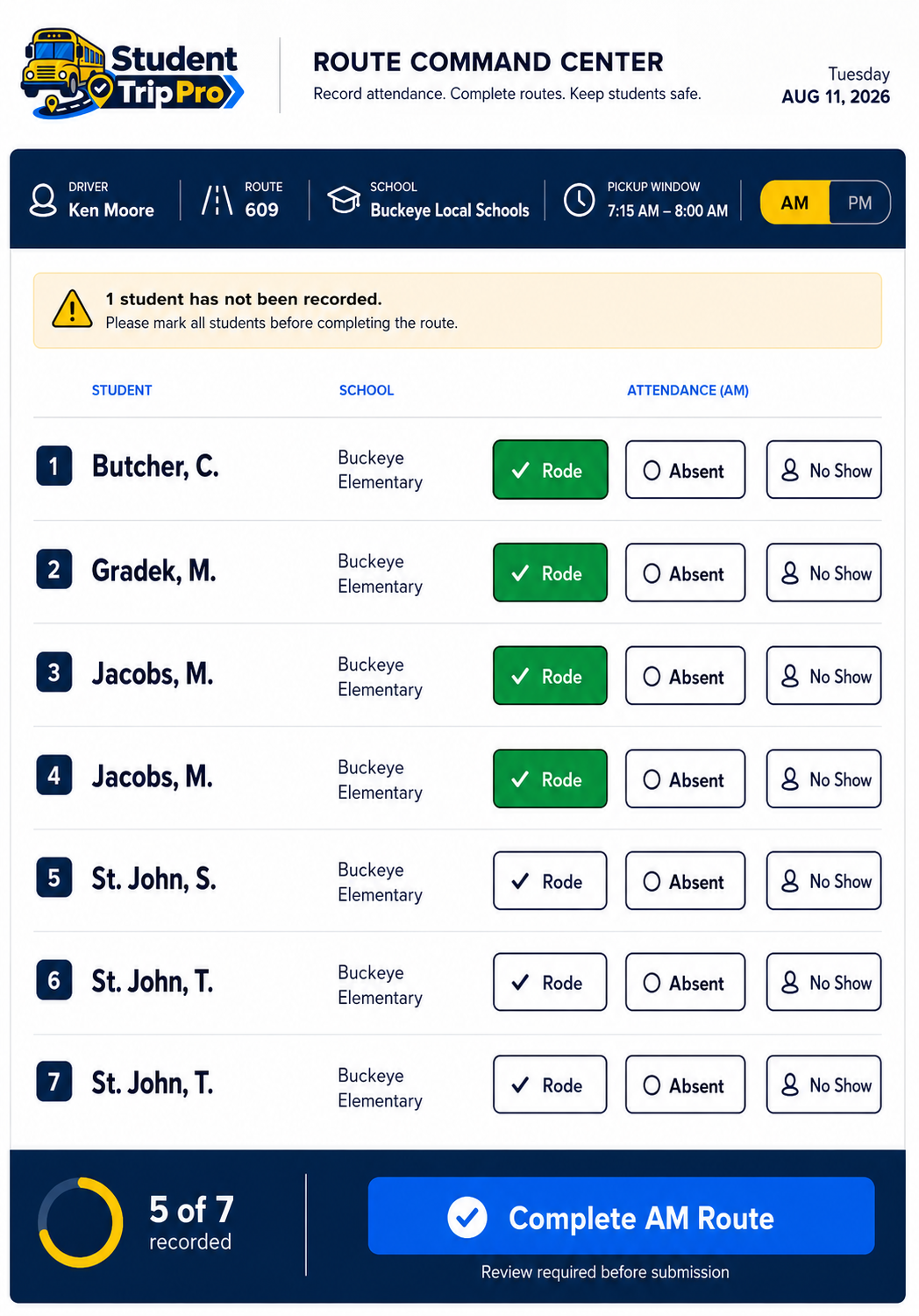
Student Trip Pro turns the paper attendance sheet into a clear daily workflow designed for a working driver.
Mark Rode, Absent, No Show, or Not Scheduled with large buttons made for quick use.
Complete the morning route, switch to afternoon, and verify every scheduled student.
Add routes, schools, service windows, approved rates, and student schedules.
Automatically calculate eligible rides and daily totals using the rate you enter.
Prepare pay-period invoices and monthly AM/PM attendance sheets, then print or save PDF.
Download your routes and settings, restore them later, or import a student CSV roster.
No complicated menus. The app guides you through four clear steps.
Select the driver route and AM or PM period.
Tap one attendance choice for every scheduled rider.
The app checks for missing entries before completion.
Sign the report and prepare your invoice or PDF.
Prepare the app before the first route.
Every major feature includes plain-language, step-by-step instructions. Drivers can quickly learn attendance, routes, students, invoices, monthly codes, backups, and troubleshooting.
The current Driver Edition stores routes and attendance in the browser you use. Download backups regularly before clearing browser data or changing devices.
Start with a 14-day free trial.
Yes. It is designed to work in modern browsers on phones, tablets, Mac, and Windows computers.
No. It helps organize route attendance and billing information. Drivers should continue following all district, agency, contract, and payer requirements.
The current Driver Edition stores information in the browser on the device being used. Backups can be downloaded and restored.
Yes. Daily reports, invoices, and attendance sheets can be printed or saved as PDF using the browser’s print window.
Record attendance. Complete routes. Keep students safe.